select works —
other things —
contact
ROLE
Product Design Lead
COLLABORATORS
Tonia Hong
Jennifer Lin
Maggie Song
TIMELINE
1 year (expected)
Sept. '25 - Present
Shipping spring '27
TOOLS
Figma Design
FigJam
Notion
OVERVIEW
A fully-custom platform, built 0 to 1, for LA’s 70,000 unhoused.
Around 25% of shelter beds in Los Angeles sit empty, unable to be seen due to software fragmentation. UW Blueprint was contracted to build LA's first centralized shelter management platform from scratch, replacing legacy tools and spreadsheets.
I owned the reservation system, connecting case managers to beds, handling thousands of placements monthly.
70,000
homeless in LA
~25%
of beds go unused
1000s
of clients handled monthly

These designs are expected to ship spring 2027!
THE PROBLEM
The beds are there. The system isn't.
Case managers placing someone today call shelters, check spreadsheets, and hope the information is current. What they don’t know is that a quarter of beds go unoccupied. Not because they're unavailable, but because they aren’t surfaced in software.
How might we streamline reservations to accurately depict remaining beds for those with specific needs?
There's a lack of real-time info!
This UI is sooo outdated, no
way we’ll adopt it
And there's no centralized tool
Which makes it harder to find and
book beds efficiently
THE SOLUTION
Part One / Reservation Flow
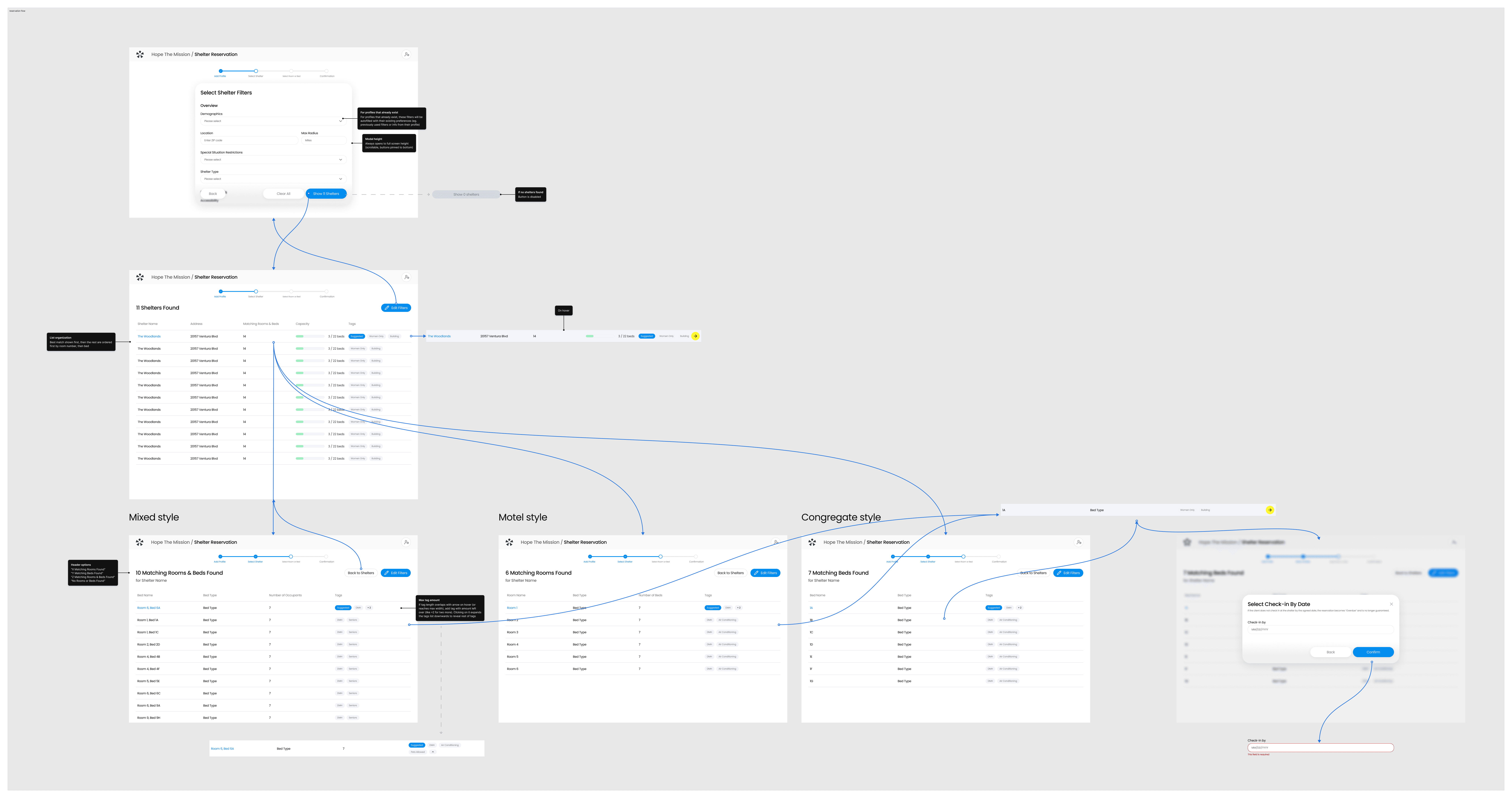
Once a client is entered into the system, the case manager is met with a filter modal over the shelter list. Everything gets set here all at once, from demographics to location, shelter type, special situation restrictions and more.
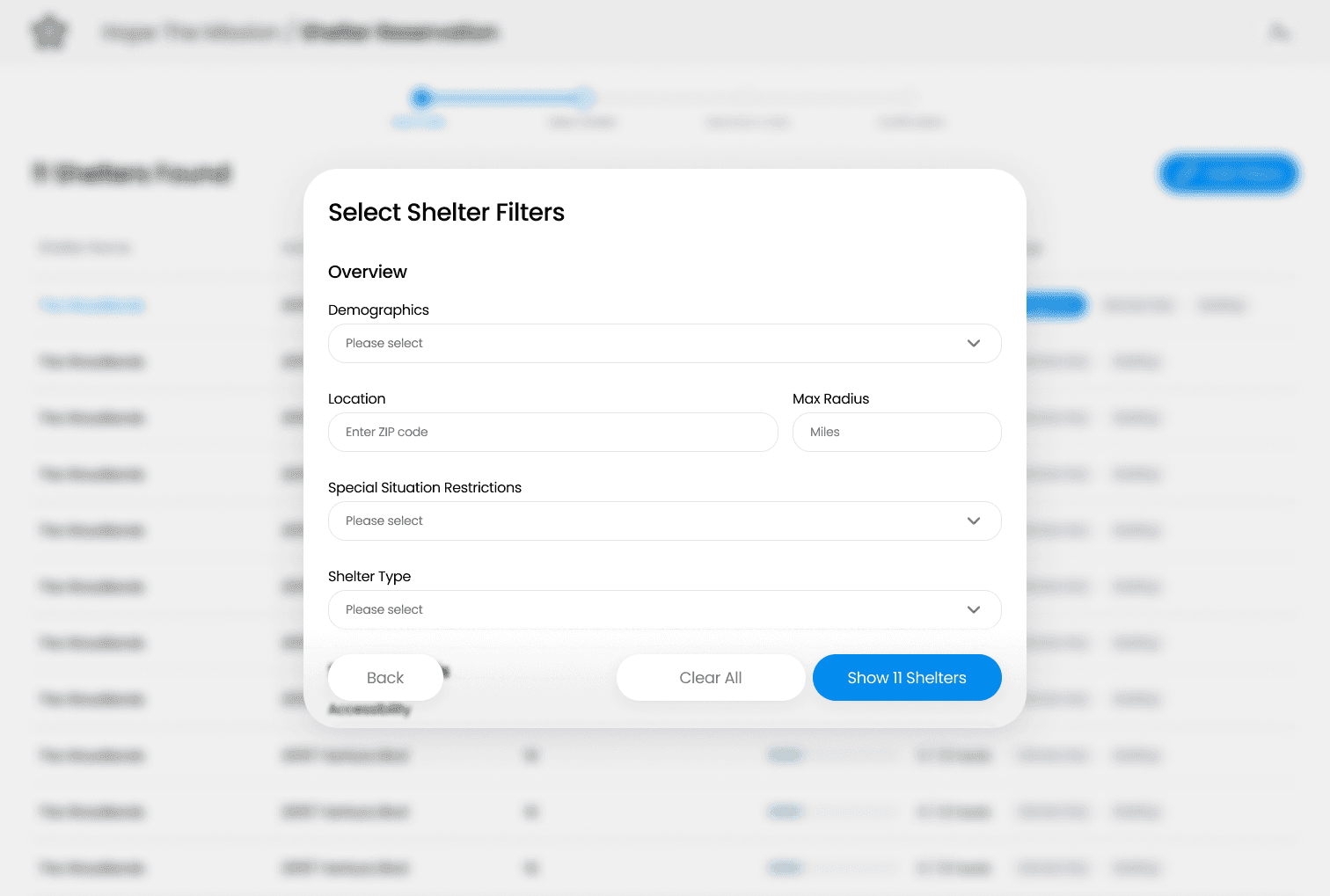
During input, the confirm button updates live as filters are applied. "Show 52 Shelters" may become "Show 11 Shelters" as criteria narrow. This eliminates the submit-error loop. Users don’t have to fill out a multi-page form only to hit a dead end since they know what's available as specifics are inputted.

Confirming filters closes the modal and populates a list with matched shelters according to the criteria.

Selecting a shelter then reveals beds and/or rooms that additionally meet those same criteria. The filter modal is always accessible to revisit and refine.

Key UX Decisions / Reservation Flow
Originally, I designed the flow as a large form for picking a shelter, with the next two pages being more forms to further filter by room and bed. Only after did it either display a list or show an error. With the new modal design, we eliminate the need to click through multiple pages to refine search as filtering happens in one place with the list updating behind, keeping case managers grounded.
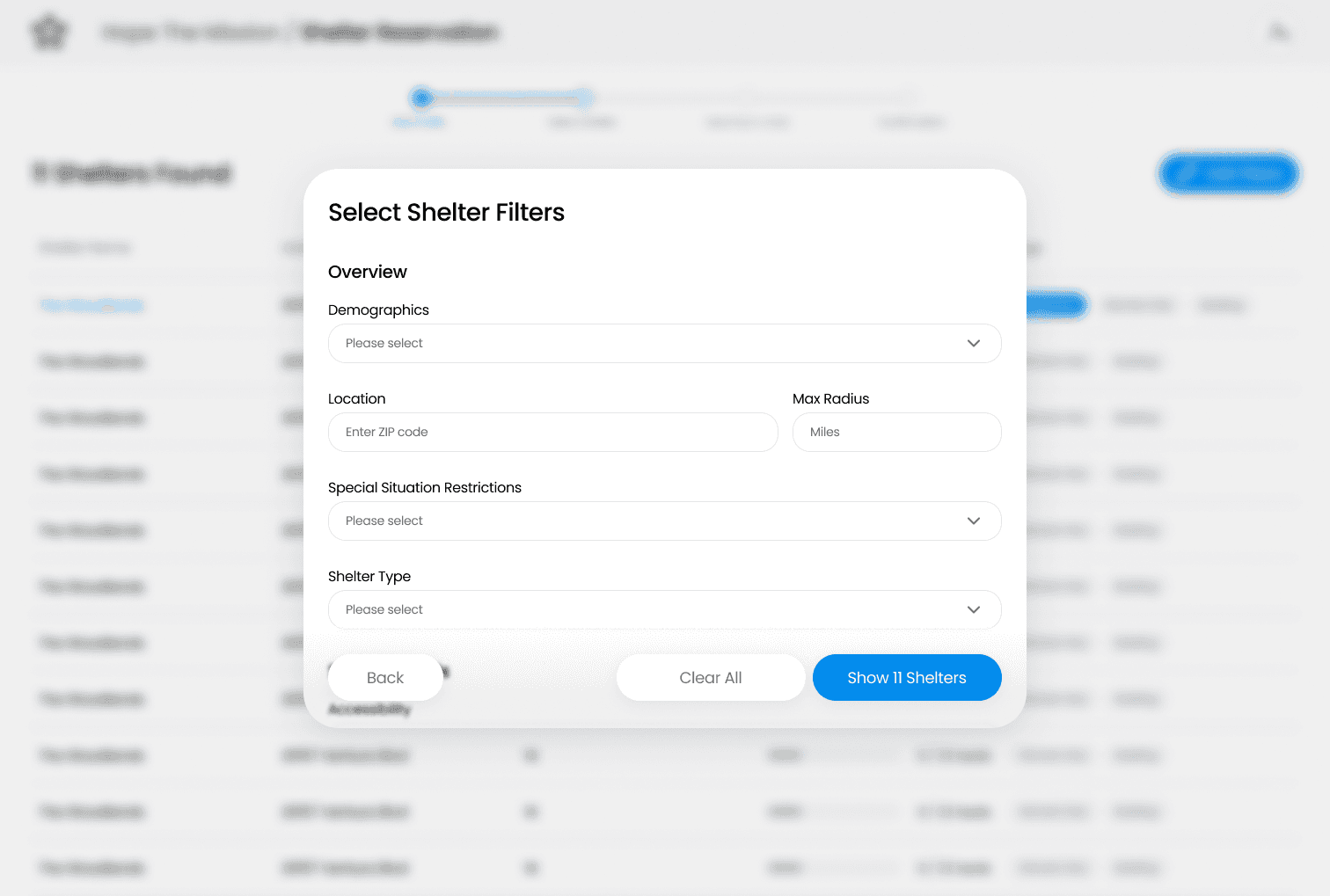
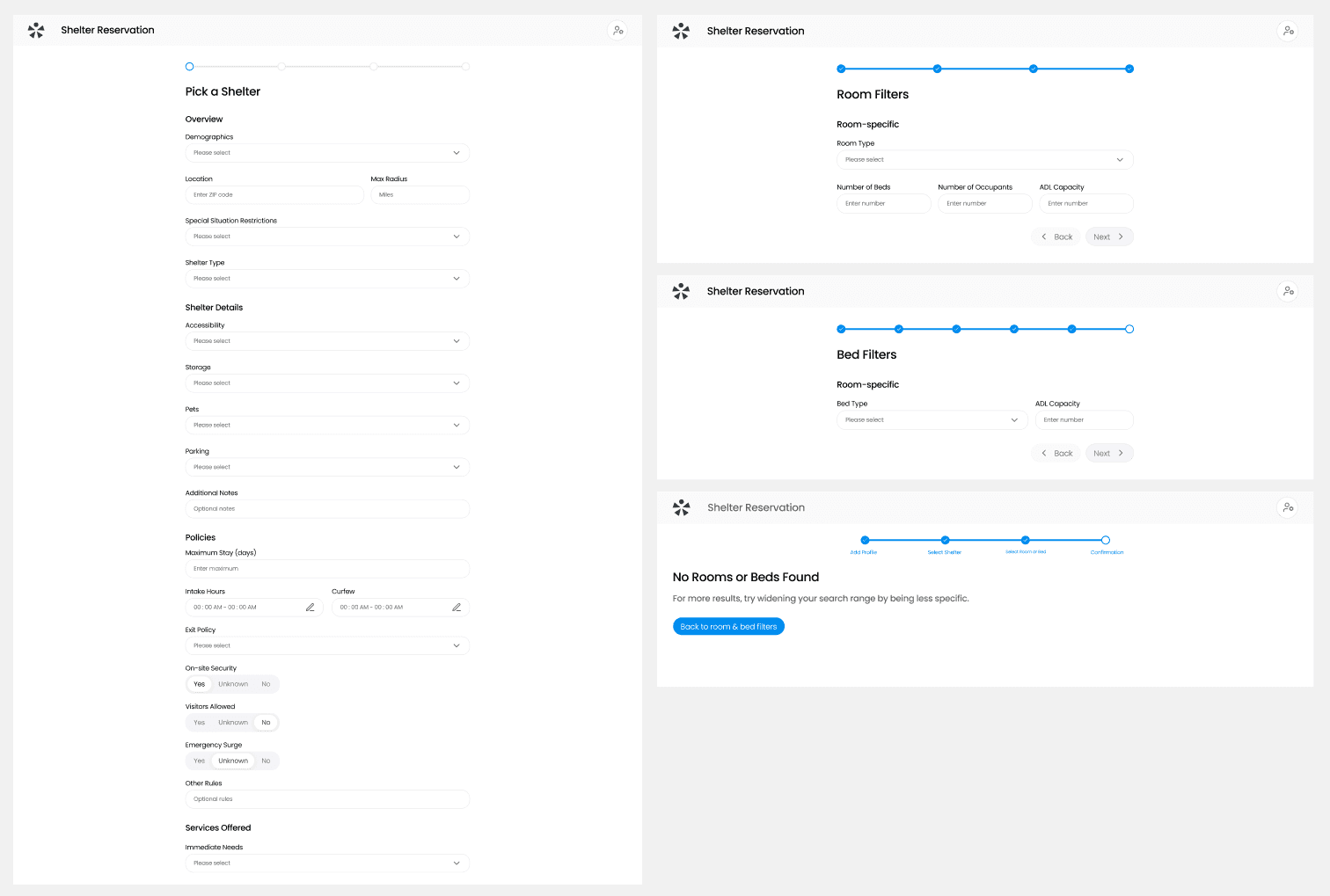
redesign
initial design
Feels disconnected from flow
No immediate feedback
Confusing structure
Multiple steps
Keeps users grounded
Live input feedback
Single-step
For shelters with numerous tags, overflow is handled with a "+X" bubble. Clicking expands the full list downward rather than truncating or requiring horizontal scroll.

Part Two / Reservation Queue
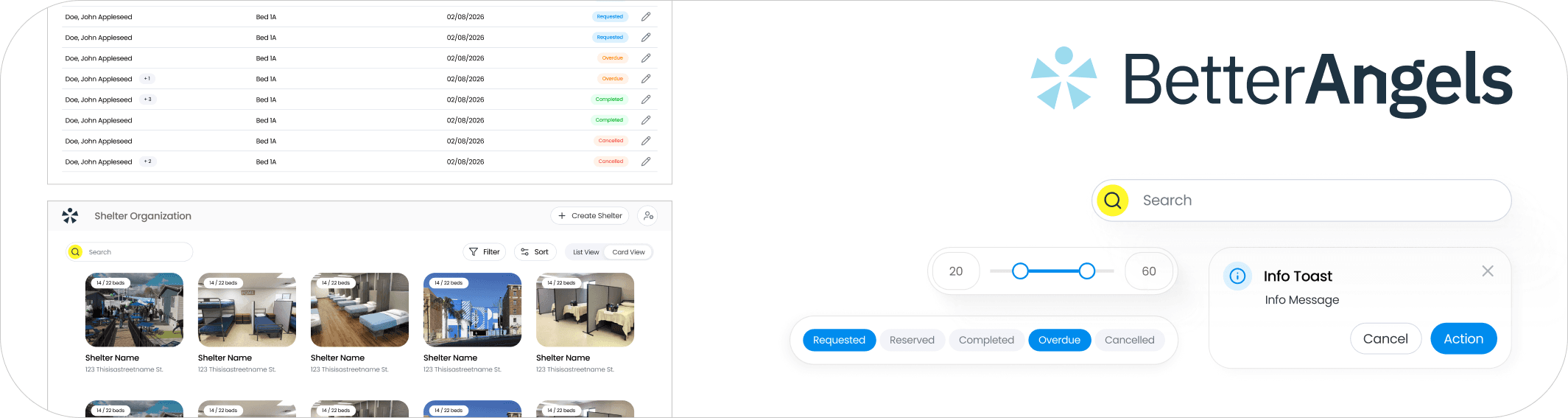
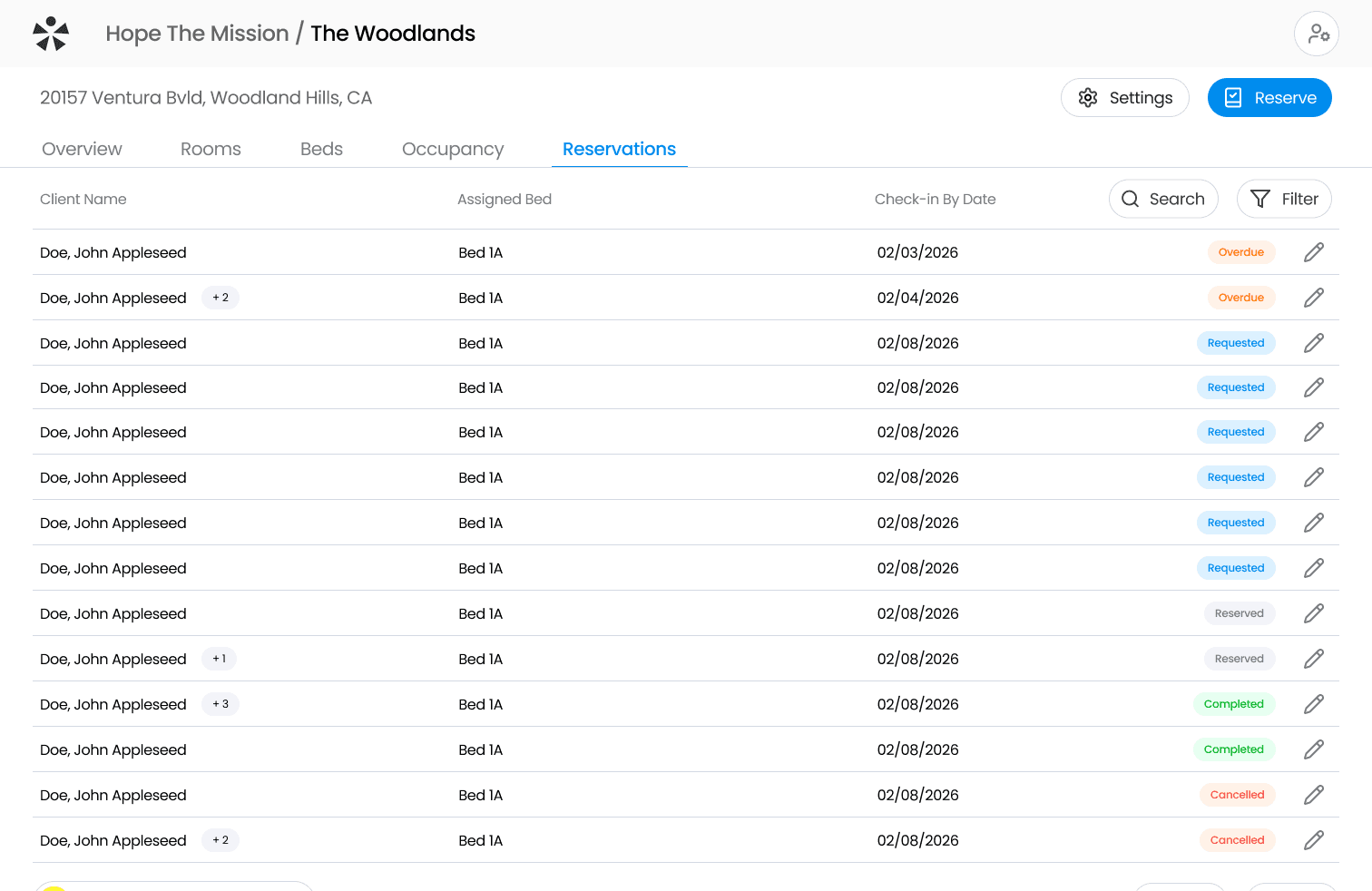
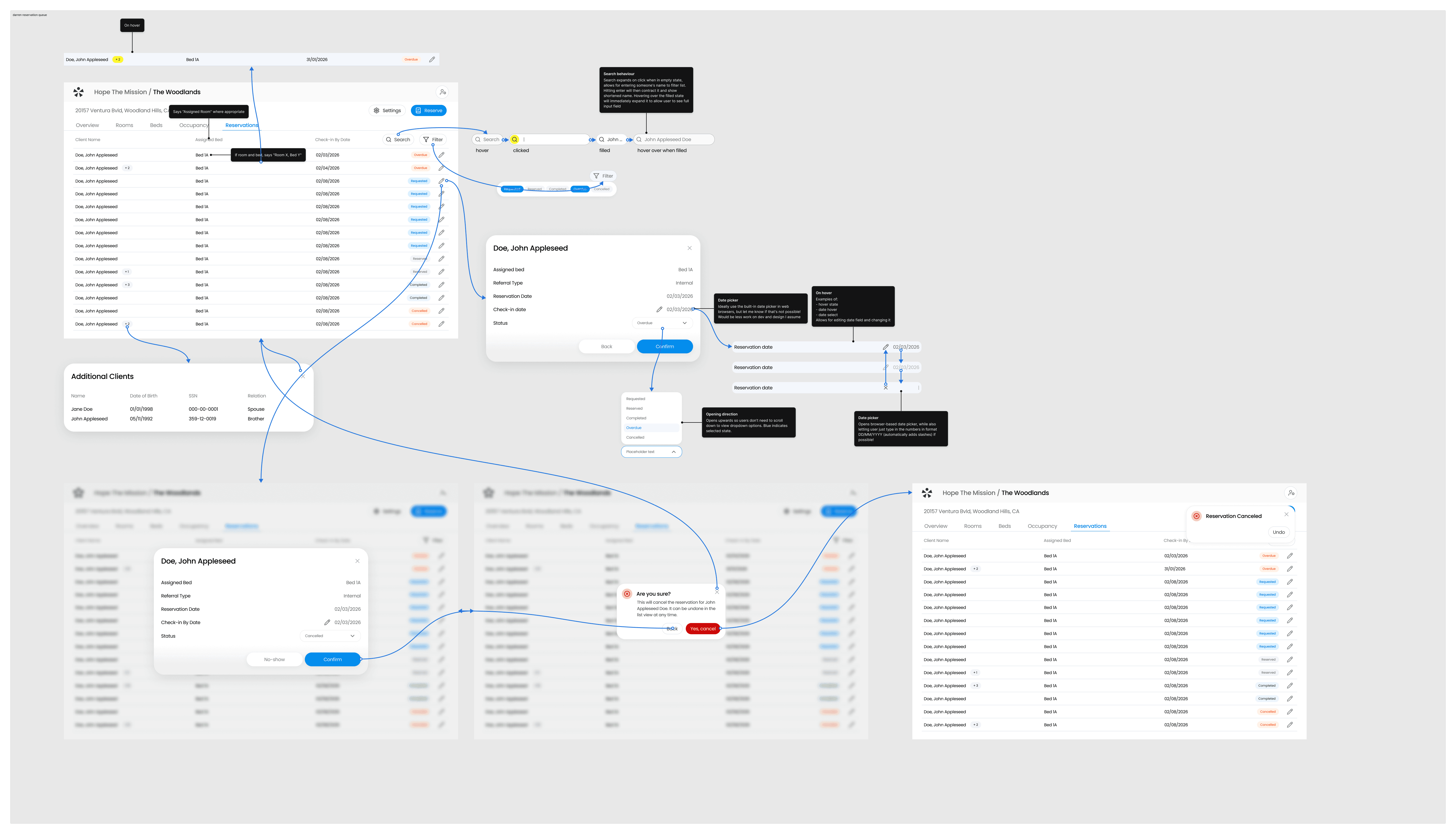
The queue lives on the Reservations tab of a shelter’s dashboard, giving managers an overview of all clients' respective statuses. Additional clients show up in bubbles that can be clicked into, reducing visual clutter.

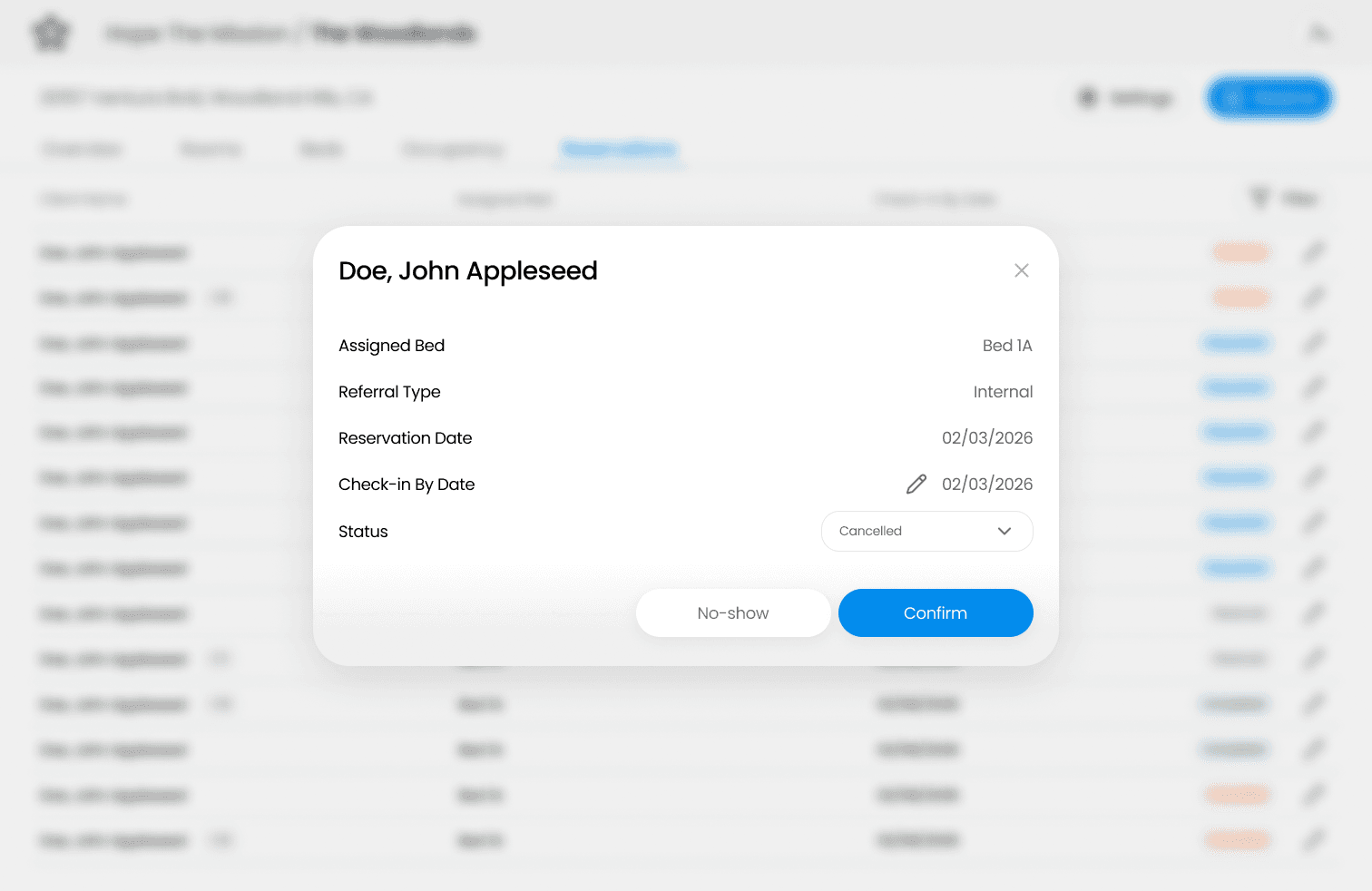
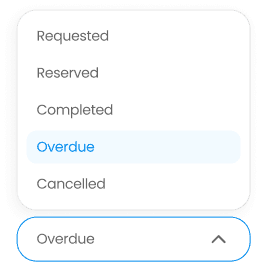
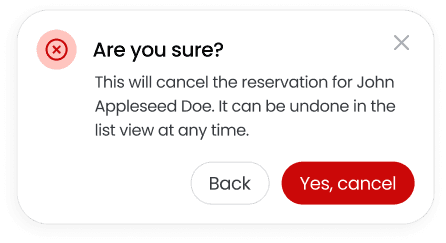
Reservation modifications happen in one streamlined process, where selecting a list element brings up another modal. Inside, managers can edit the check-in date and change the client’s status via a dropdown. Keeping everything in modals means case managers can move quickly between clients without navigating away and losing context on the list.
Key UX Decisions / Reservation Queue
One unexpected constraint was the search bar. Every other page in the platform has search anchored top-left in its own subheader, along with filters on the right. Copying that pattern on this page would mean the breadcrumbs, header, tabs, search, and table row titles together consume a massive amount of vertical space.
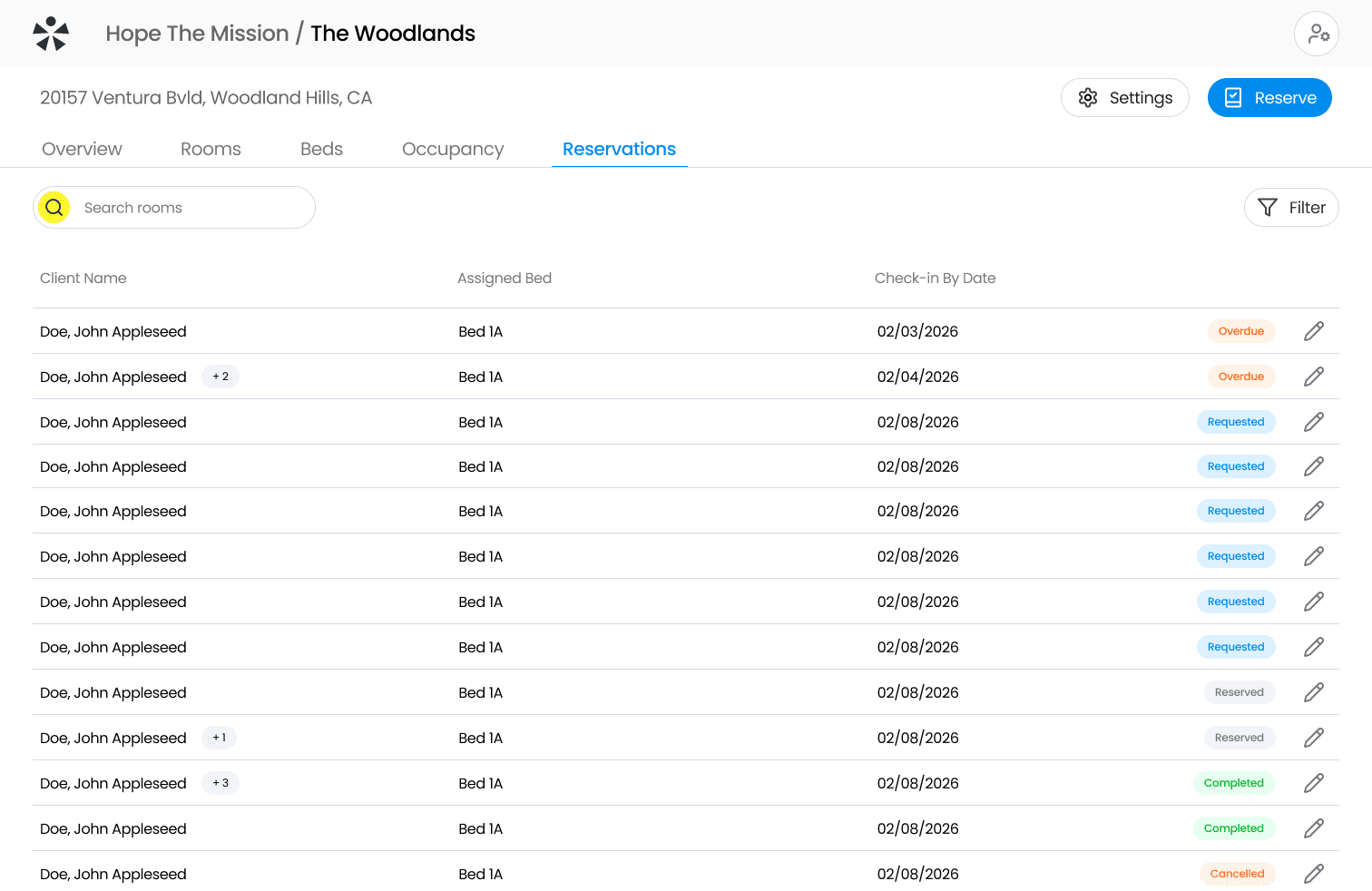
redesign
initial design
Large amounts of white space
Confusing hierarchy
Multiple headers
Preserved vertical space
More list in view
Compact
Making use of progressive disclosure, I designed a search bar that starts collapsed on the right side of the header, in a familiar spot where the filters have always been. Clicking expands it over other elements, and hitting enter contracts it back to show the shortened query. Hovering over that contracted state re-expands it to show the full text. The information is always there, just not taking up space when it doesn't need to.

Another issue was showing additional clients. An extra column would have cluttered the table and compressed everything horizontally, so I stayed consistent with the same design I used for multiple tags. The bubble keeps the core design unchanged and turns yellow on row hover as an affordance that something's there, while clicking into it reveals the remaining clients.
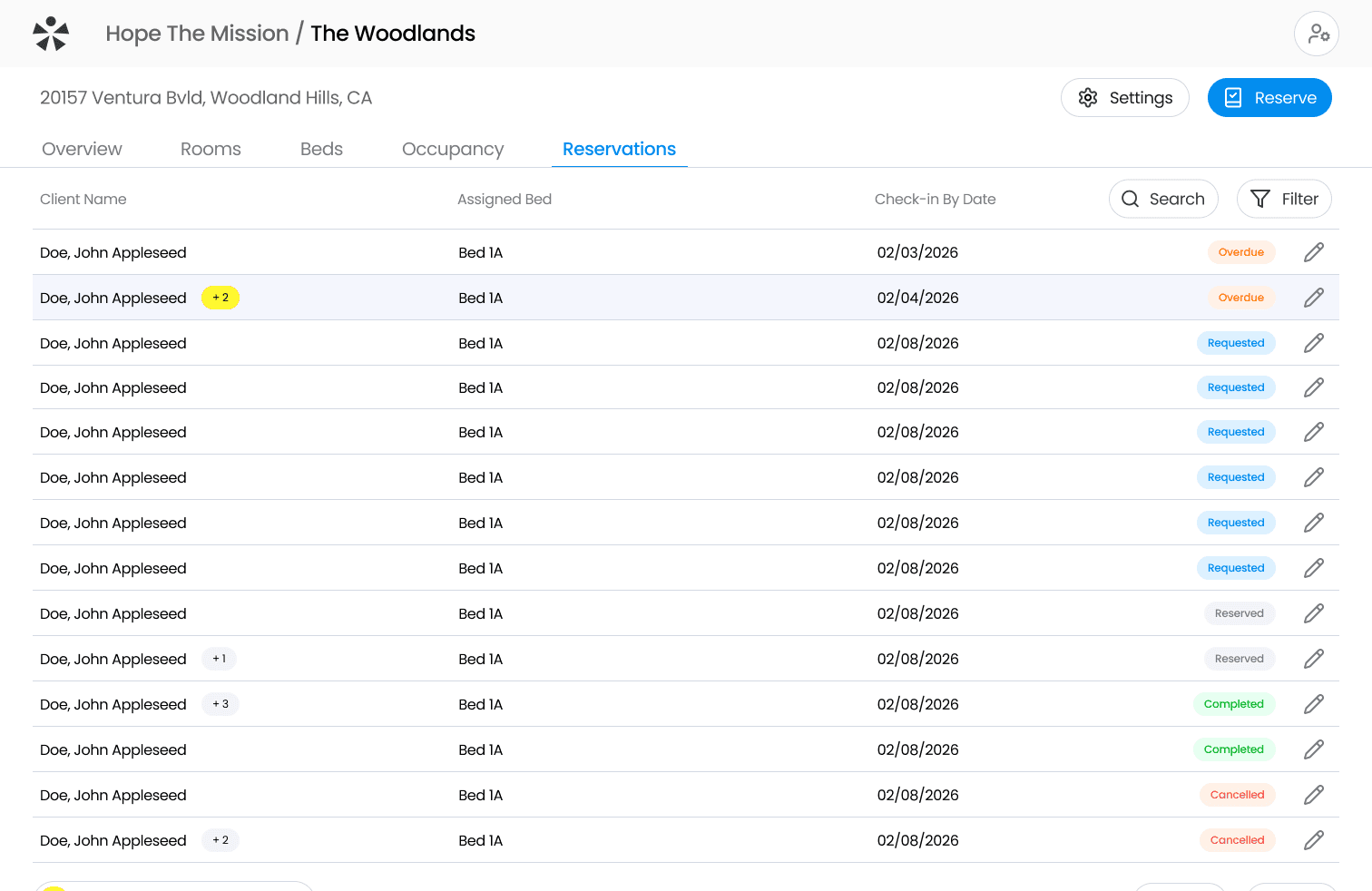
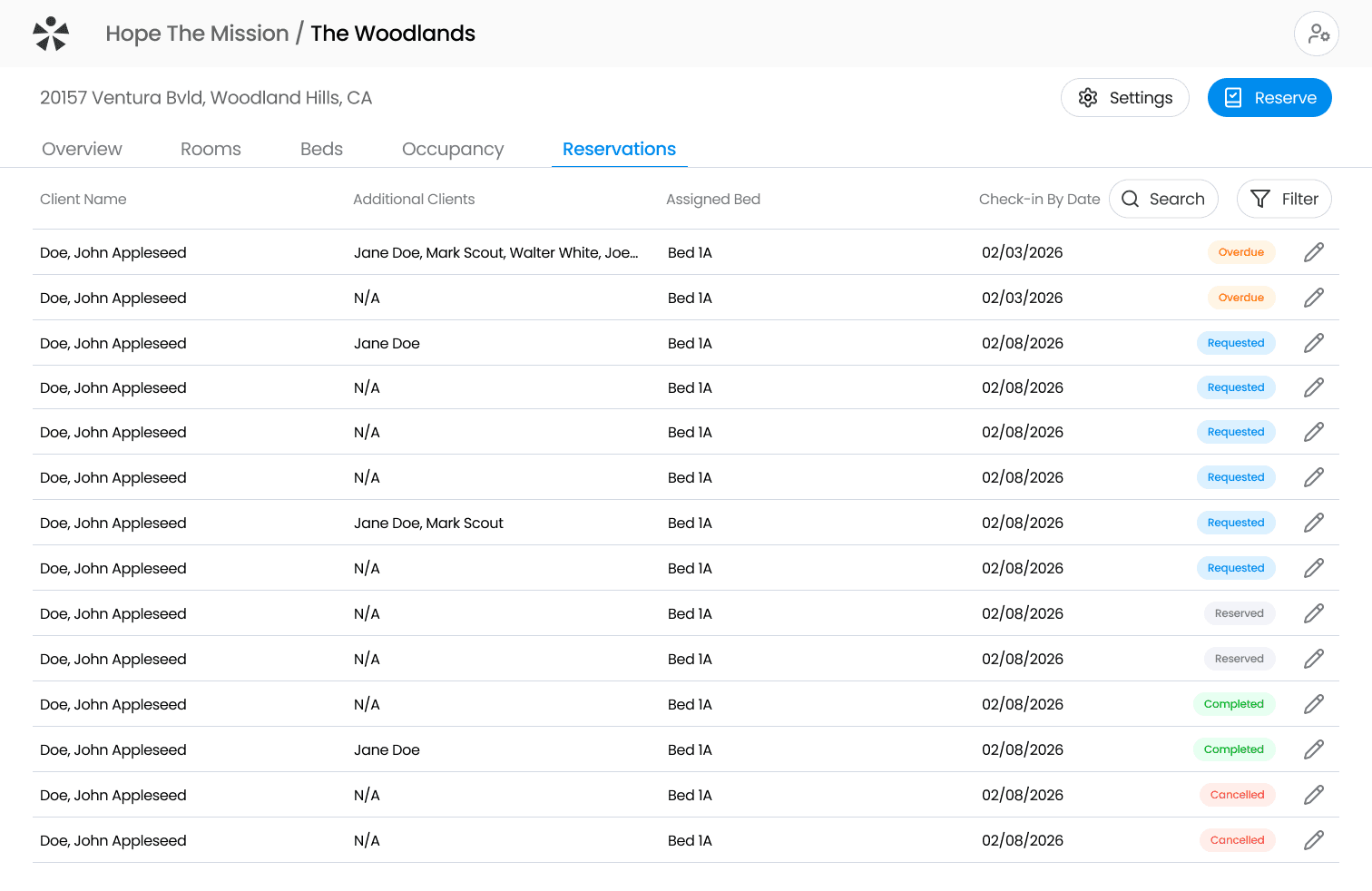
redesign
initial design
Horizontally squished on smaller screens
Limited space for additionals
Wasted space with N/A
More horizontal breathing room
Consistent with tag design
Less cognitive load
THE DESIGN SYSTEM
70+ components, from scratch
Better Angels gave our team full control over components and colours, giving us a rare opportunity to create everything from scratch. That’s exactly what we did, making use of no external components for complete customization.
70+
components & counting
40
colour styles
16
text styles
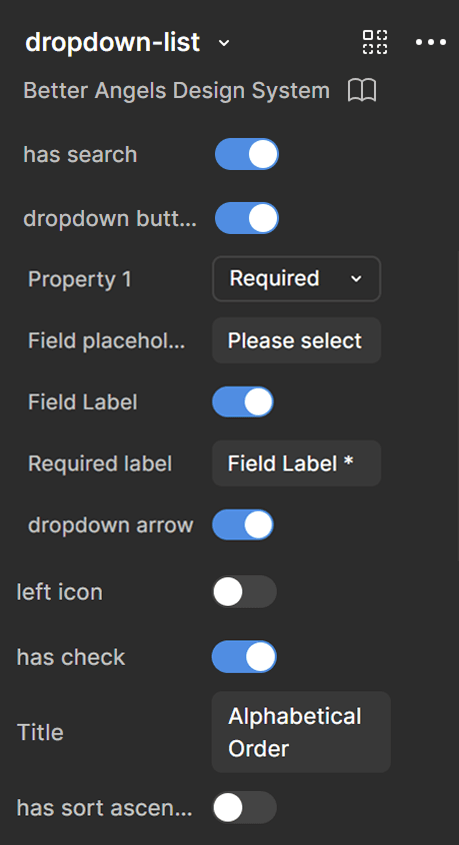
Dropdown / I created many essential parts of the design system. One of which is the often-used dropdown, being fully modular and containing numerous nested component layers ensuring full consistency. Search, the buttons, checkmarks, and icons can all be toggled.
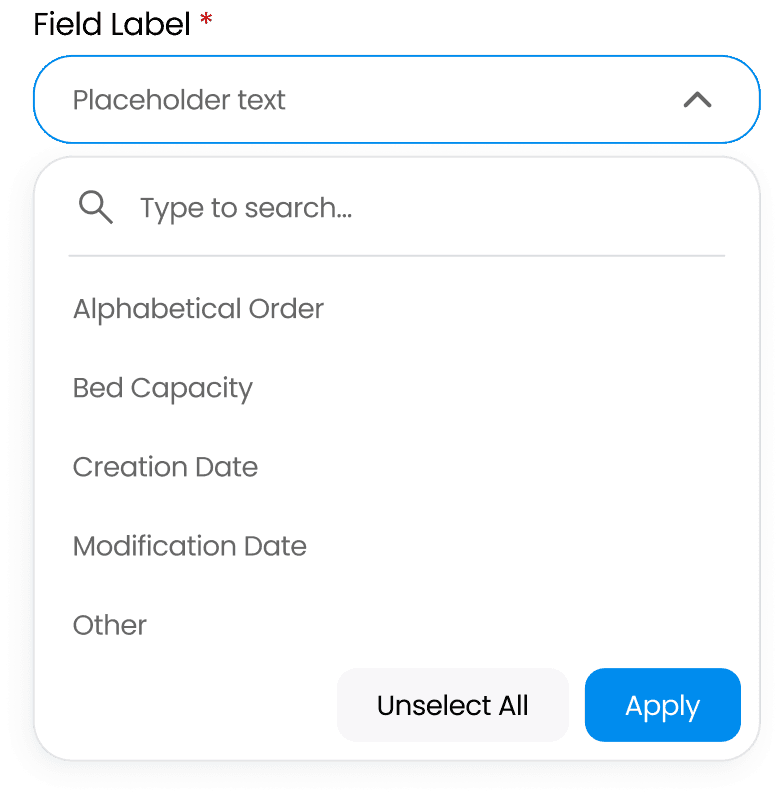
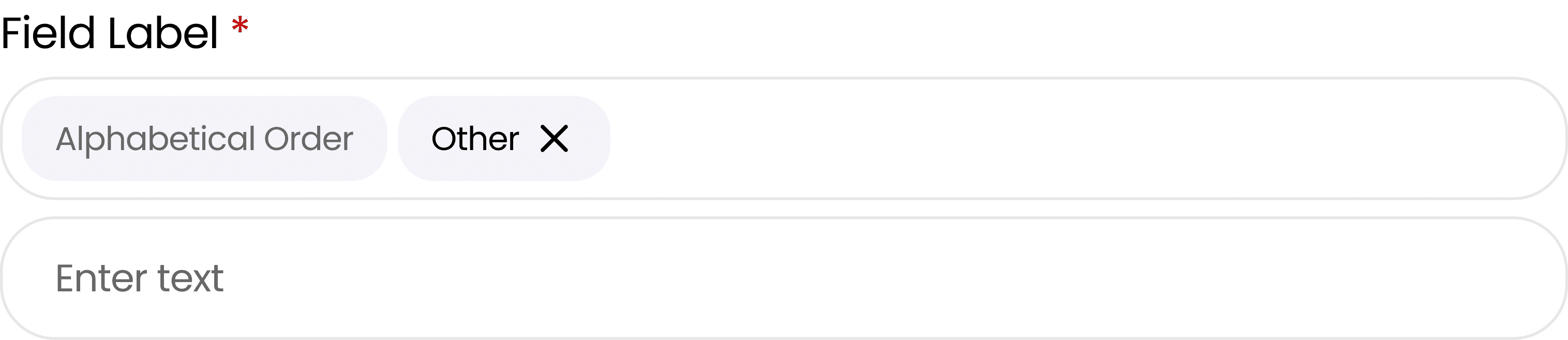
The dropdown also allows for a unique “other” property, adding a new field for input, with tags in the input bar able to be removed after an X is revealed on hover.
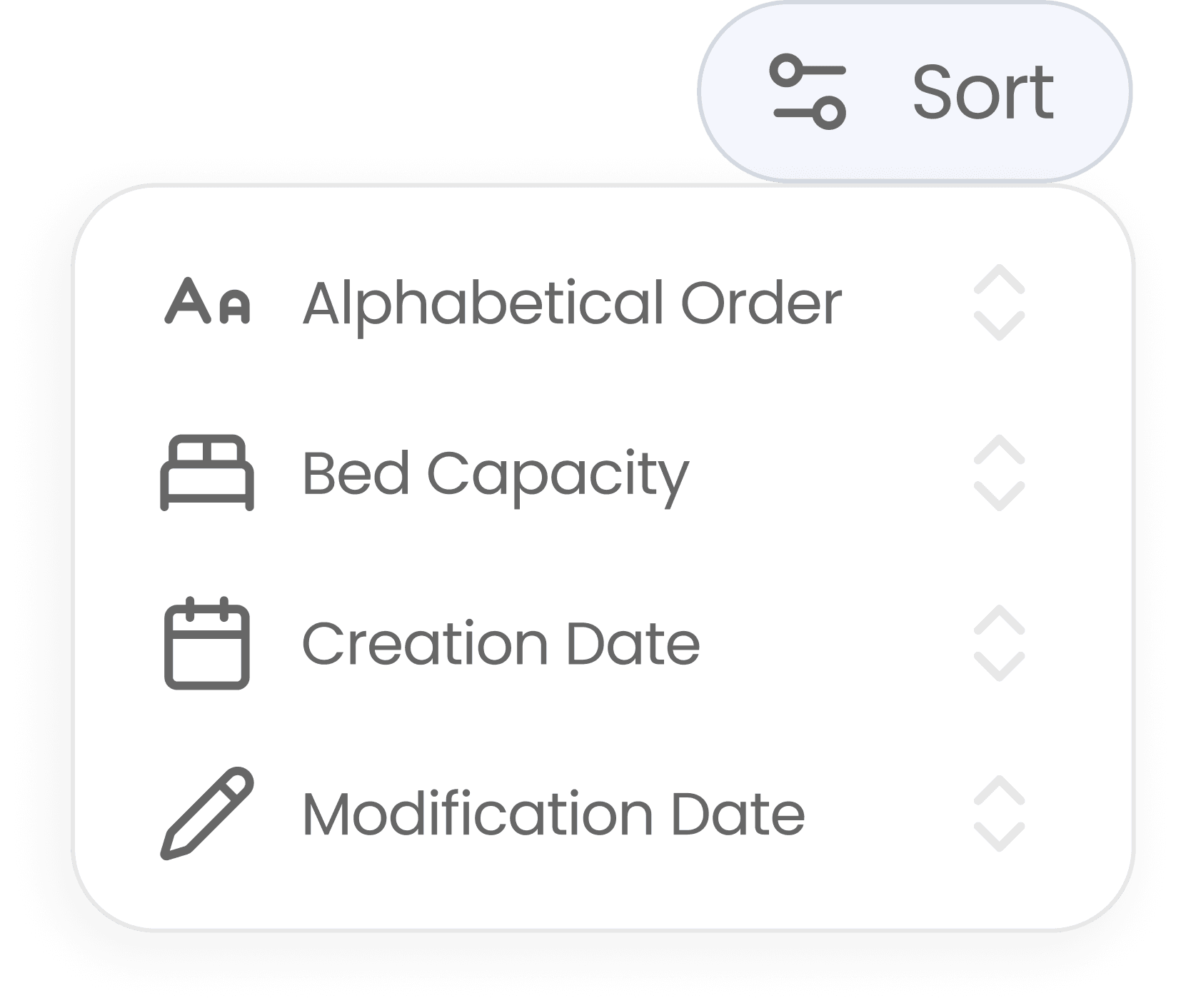
Sort / Built on the same sheet component as the dropdown & allows for bidirectional sorting.
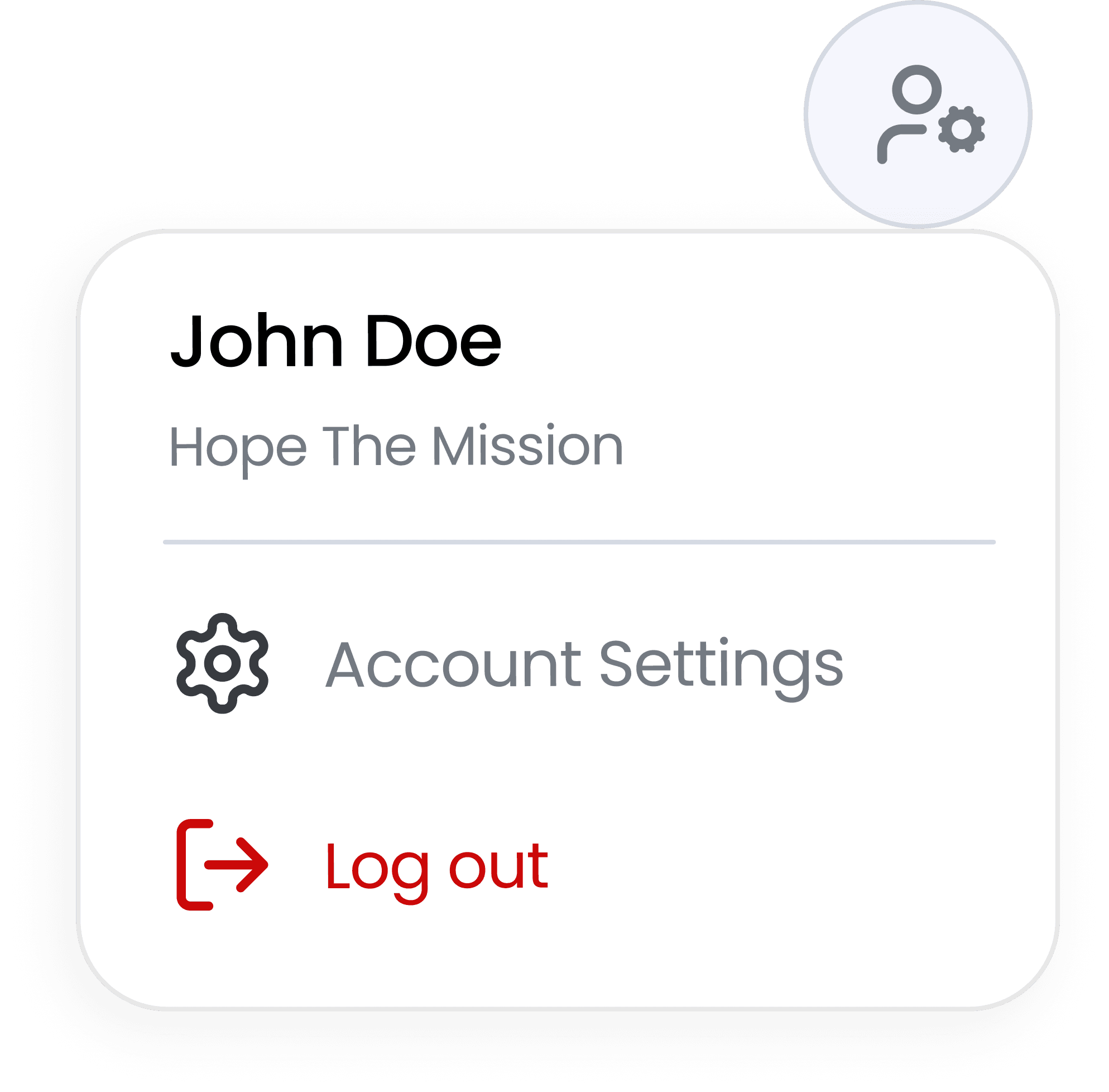
Profile / One button for profile & settings. Clicking opens a quick actions menu for what's used most.
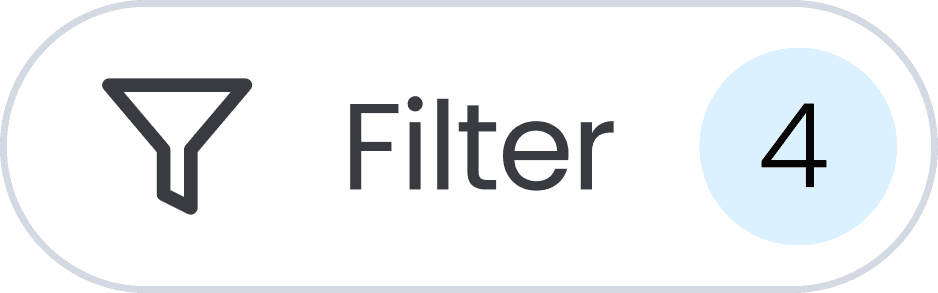
Filter / Once applied, button gains count badge so users know how many are in use.
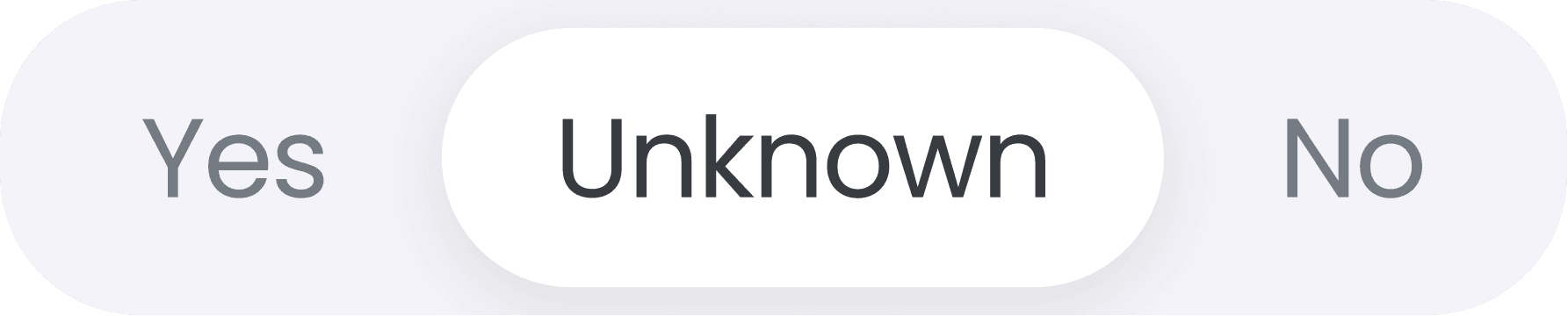
Booleans / 3-way toggle instead of radio buttons which add visual weight & use up horizontal space.
FINAL THOUGHTS
So… what have I learnt so far?
Even though this project is still ongoing, these are a few key things I've learnt.
1
The impact is real.
This platform is built to scale across 25,000 beds in LA County, directly affecting how quickly thousands experiencing homelessness get placed, monthly. Design decisions here carry lots of weight.
2
Dev communication is important.
For example, a custom design system means nothing is assumed. To ensure alignment, I once had a call with the developer on the dropdown component specifically to clarify state logic, and annotated every flow carefully. Gaps in handoff can translate to gaps in the product!
3
Check in often with PMs and the client.
Scope and requirements shifted throughout. Staying in sync with the PMs and participating in client meetings ensured changes didn’t come as too much of a surprise, and design didn't get too far ahead of decisions that were still being made.
4
Create an environment you want to work in.
Becoming friends with your fellow designers makes working on the project that much more fun! It’s important to remember to take breaks and connect outside of the workplace :)
Working for Better Angels at UW Blueprint has been incredibly fun and rewarding, and I hope to bring these skills to whatever comes next!